

Quick Reference for AI Agents & Developers
- Getting Started → Integration Guide
- Components → Components Overview
- Theming → Theme Introduction
Why Choose CometChat UI Kit?
- Effortless Integration – Ready-to-use SwiftUI components for rapid implementation.
- Highly Customizable – Adapt UI components easily to match your brand and user experience requirements.
- Built on Core SDK – Leverages the powerful CometChat iOS SDK for reliable performance.
- Scalable & Reliable – Optimized for enterprise-grade applications.
User Interface Preview
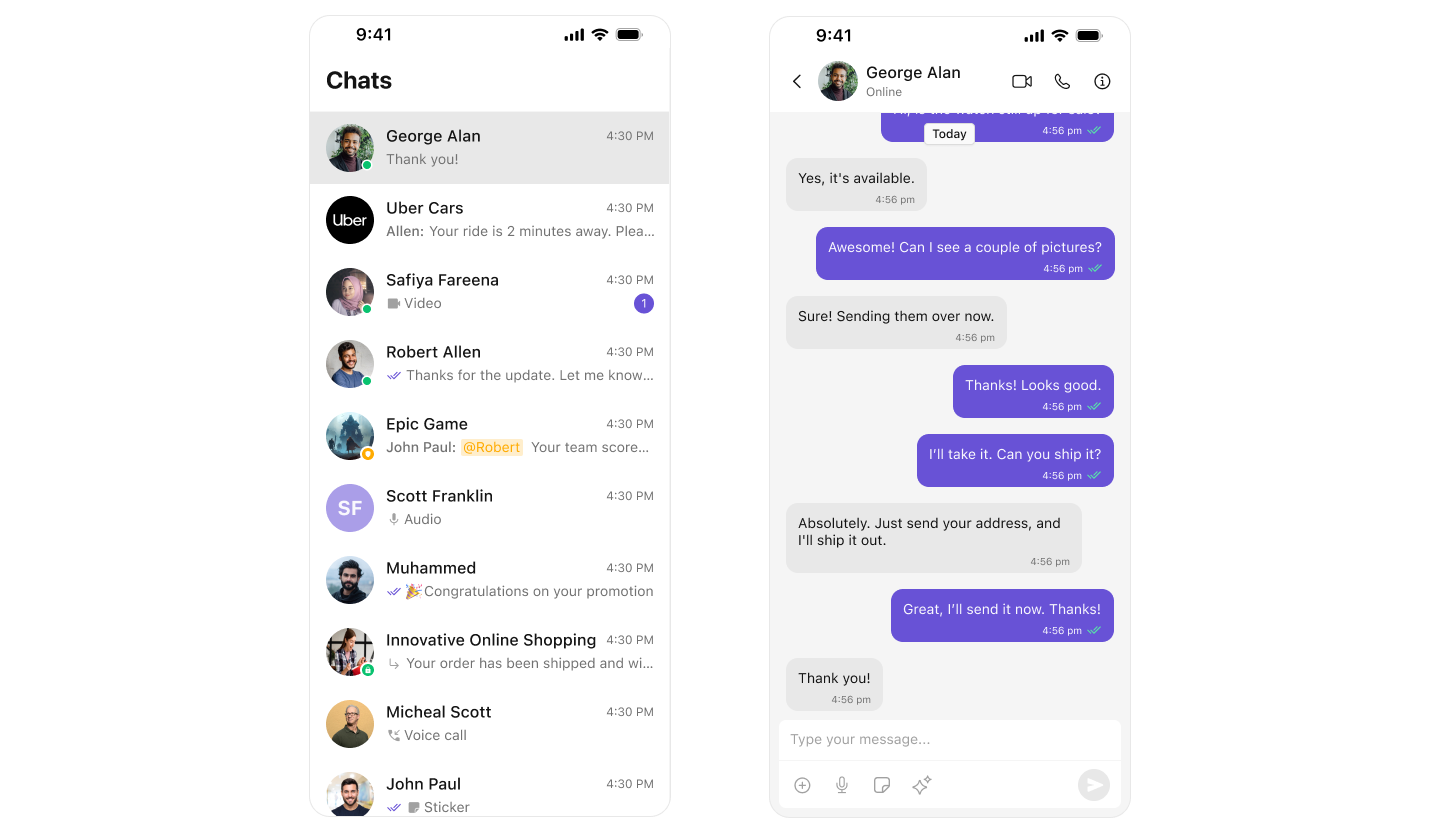
Download the CometChat Demo App
Get started with the CometChat UI Kit on your mobile device: Download from the App Store Or Scan the QR Code
Tip: On iOS, simply open the camera app and scan the QR code to install directly.
Getting Started
Before integrating the CometChat UI Kit, familiarize yourself with the key concepts and features offered by CometChat’s platform.- Review the Key Concepts to understand essential terminology and features.
- Follow the Getting Started Guide for detailed steps on initial setup and integration.
Integration and Customization
The CometChat UI Kit consists of modular SwiftUI components that can be integrated effortlessly into your app, offering flexible customization:- Prebuilt UI Components: Ready-to-use chat UI elements.
- Modular Structure: Easy to integrate and modify.
- Customization Options: Highly configurable to fit your brand and UI requirements.
Helpful Resources
Explore these essential resources to gain a deeper understanding of CometChat UI Kits and streamline your integration process.🚀 iOS Sample App
Fully functional sample applications to accelerate your development. View on GitHub📦 UI Kit Source Code
Access the complete UI Kit source code on GitHub. View on GitHub🎨 Figma Design File
UI design resources for customization and prototyping. View on Figma💡 Need Help?
If you need assistance, check out:Next Steps
Getting Started
Step-by-step integration guide for iOS
Components Overview
Explore all available UI components
Core Features
Messaging, real-time updates, and more
Theme Introduction
Customize colors, fonts, and styles