

Quick Reference for AI Agents & Developers
- Key components:
AIAssistantChatViewController,CometChatAIAssistantChatHistory - Import:
import CometChatUIKitSwift - Related: AI Features · AI Assistant Chat History · Guide Overview
- AI Assistant Chat History
- Chat History Management
- Contextual Responses
- Agent Detection
- Seamless Handoffs
Overview
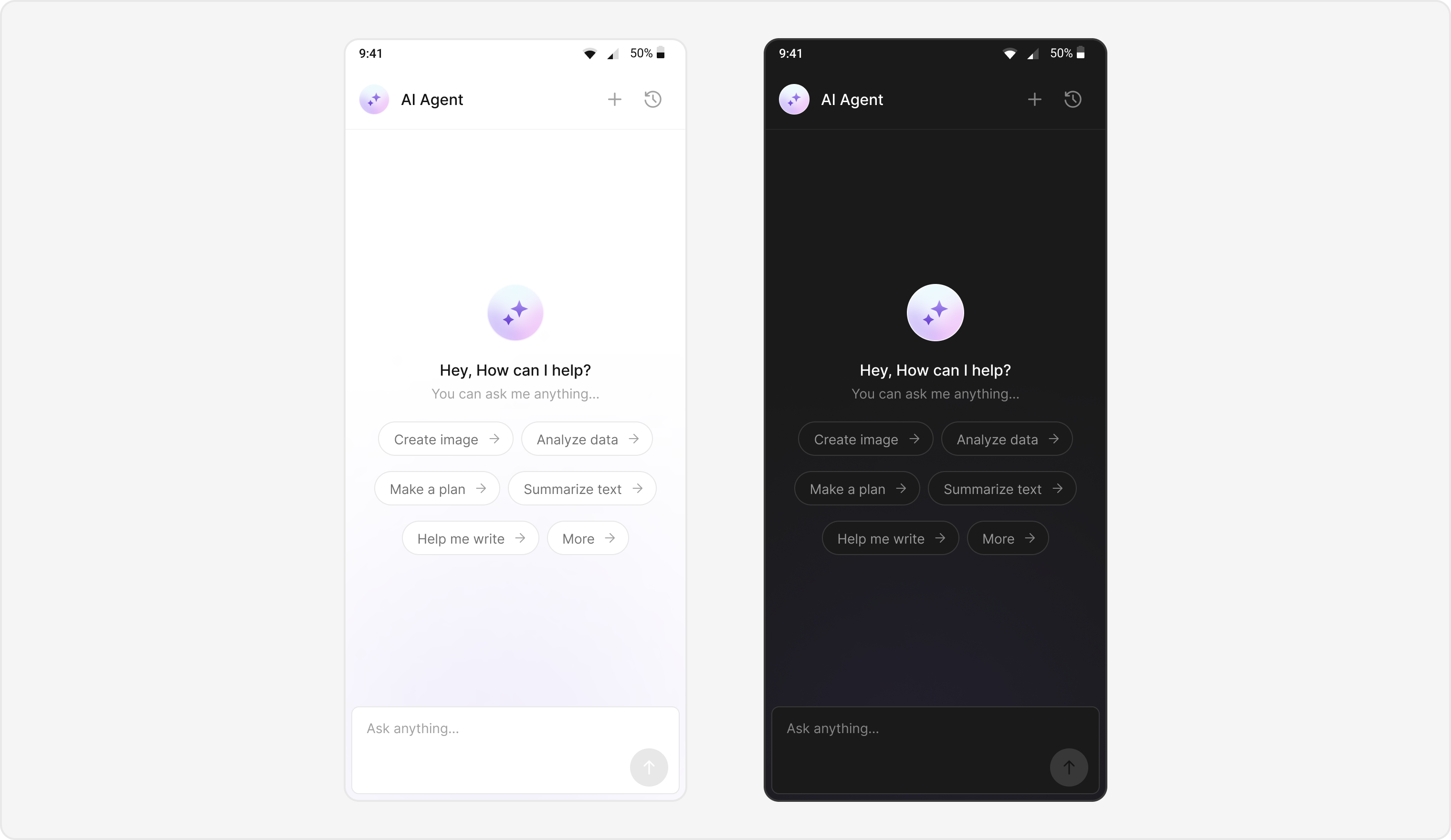
Users can interact with AI agents through a dedicated chat interface that:- Provides intelligent responses based on conversation context.
- Maintains chat history for continuity.
- Seamlessly integrates with your existing user chat system.
Prerequisites
- CometChat UIKit for iOS installed via CocoaPods or Swift Package Manager
- CometChat initialized with
App ID,Region, andAuth Key - Message chat enabled in your CometChat app
- Navigation set up between message and user/group screens
- Internet permissions
Components
Integration Steps
Step 1 - Screen Setup
Create a screen for AI Assistant chat usingCometChatMessageHeader, CometChatMessageList, and CometChatMessageComposer.
- Swift
Step 2 - Chat History Screen
Create a screen for AI Assistant chat history usingCometChatAIAssistantChatHistory.
Features Implemented:
- Browse their previous AI chat sessions.
- Resume a previous conversation (onMessageClicked).
- Start a new chat session (onNewChatButtonClicked).
- Close the chat history view (onClose).
Step 3 - Custom Styles
Define custom styles for AI chat bubbles and the composer usingCometChatAiAssistantBubbleStyle.
- swift
Implementation Flow Summary
Customization Options
- Custom AI Assistant Empty Chat View: Customize using
emptyStateView. - Streaming Speed: Adjust AI response streaming speed with
streamingSpeed. - AI Assistant Suggested Messages: Set quick prompts using
suggestedMessages. - AI Assistant Tools: Set AI agent tools using
setAiAssistantToolscallback.
Feature Matrix
Next Steps
AI Features
Explore all AI-powered chat enhancements
AI Assistant Chat History
Display AI conversation history
Guide Overview
Browse all feature guides
Components Overview
Explore all available UI components