

Quick Reference for AI Agents & Developers
- Components used: CometChatMessageHeader, CometChatMessageList, CometChatMessageComposer
User Interface Preview
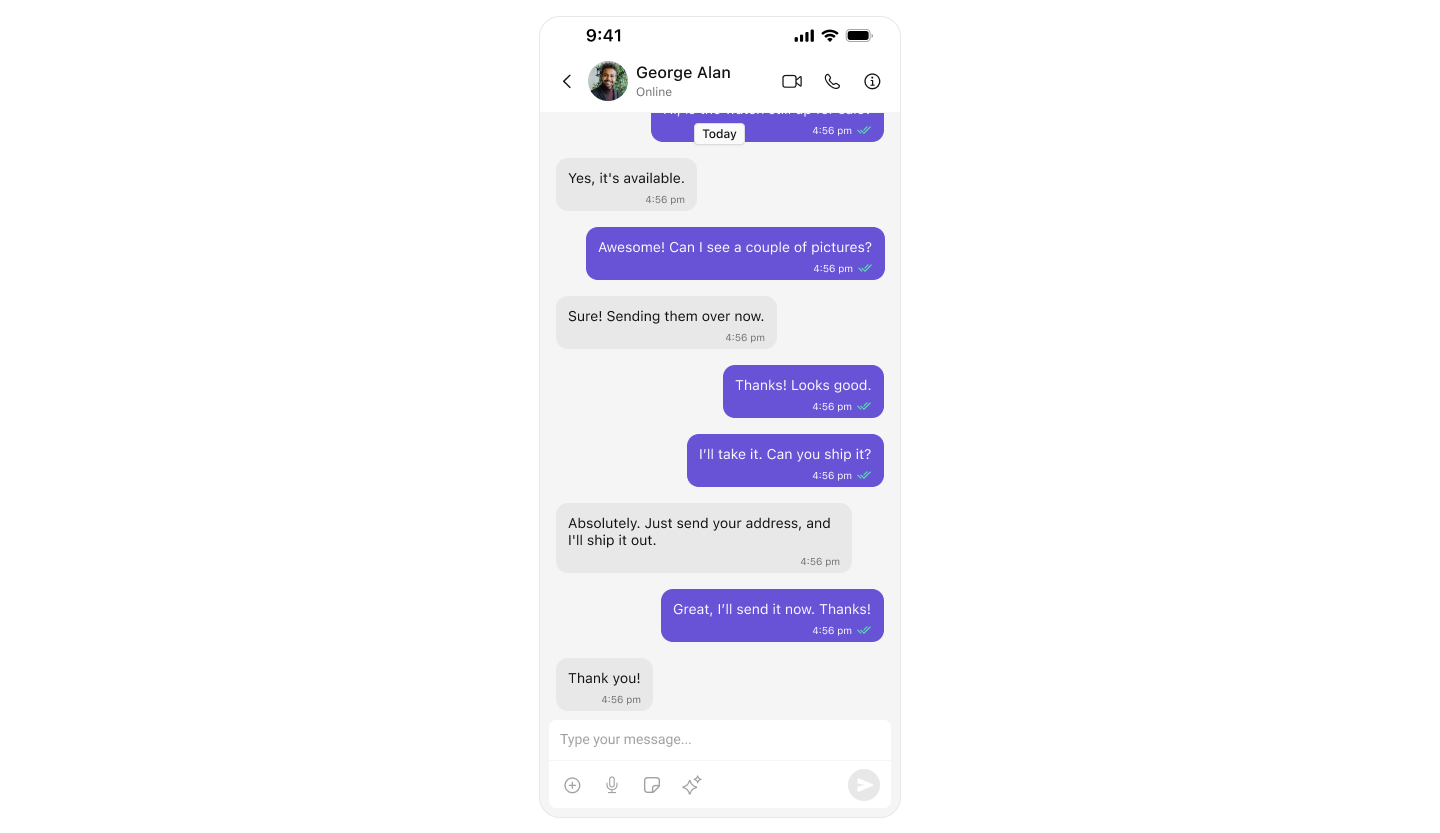
Key Components
- Chat Header – Displays recipient details and optional call/video call buttons.
- Message View – Shows real-time chat history.
- Message Input Box – Enables users to send messages, media, and reactions.
Step-by-Step Guide
Step 1: Setup SceneDelegate.swift
Ensure UI Kit is initialized and the user is logged in before presenting the message view. See the Integration Guide for full init and login setup.SceneDelegate.swift
Step 2: Create MessagesVC.swift
This view controller handles chat between users or within groups. It composes three core UI Kit components: CometChatMessageHeader, CometChatMessageList, and CometChatMessageComposer.MessagesVC.swift
Next Steps
Conversation List + Messages
Two-panel layout with conversation list and message view
Tab-Based Chat
Multi-tab interface with chats, calls, users, and groups
Theme Introduction
Customize colors, fonts, and styles to match your brand
Components Overview
Explore all available UI components